CERBERUS ON MAX
Modernizing a complex engineering suite for a connected SaaS experience
Cerberus™ is a mature suite of engineering applications used in oil and gas operations to model, manage, and support complex coiled-tubing workflows.
I led the UX and UI modernization of Cerberus as its capabilities were brought into Max Completions, creating clearer, more intuitive workflows and a more cohesive product experience while preserving the functionality experienced users depend on.
Product Design | Enterprise UX | Interaction Design | Platform Design | Visual Design | Prototyping

Project Overview
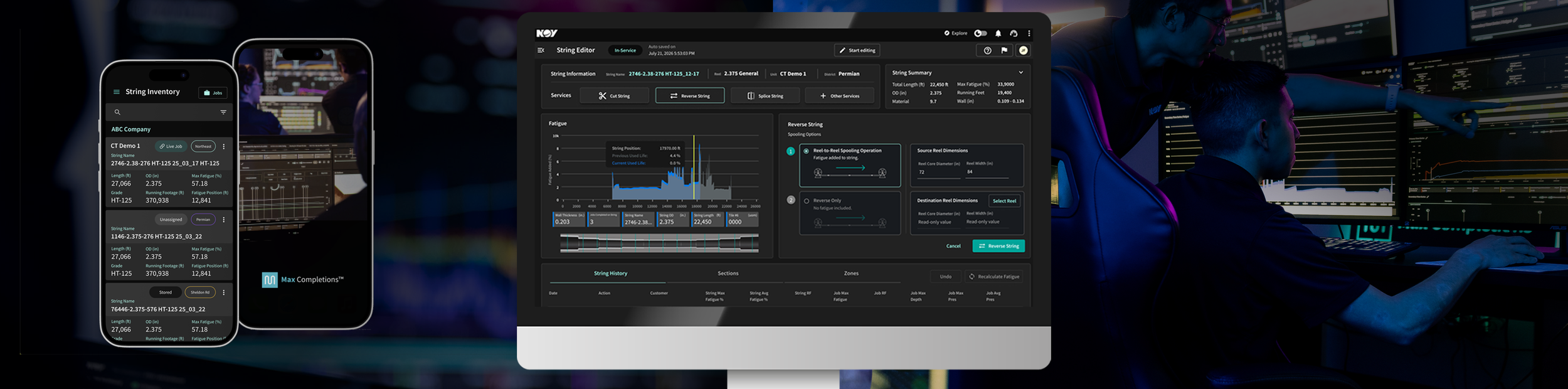
Bringing a powerful legacy product into a modern platform
Cerberus had evolved over many years as locally installed desktop software. It was highly capable, but the experience had become increasingly complex, with dense interfaces, repetitive workflows, disconnected screens, and interaction patterns that no longer felt consistent with the broader Max platform.
Customers also wanted easier access to Cerberus capabilities without moving between locally installed software and Max Completions.
The opportunity was larger than a visual refresh. We needed to bring a mature engineering product into a cloud-based platform while making its workflows clearer, more intuitive, and easier to navigate.
The challenge was doing that without removing the technical depth or familiar functionality experienced users relied on.
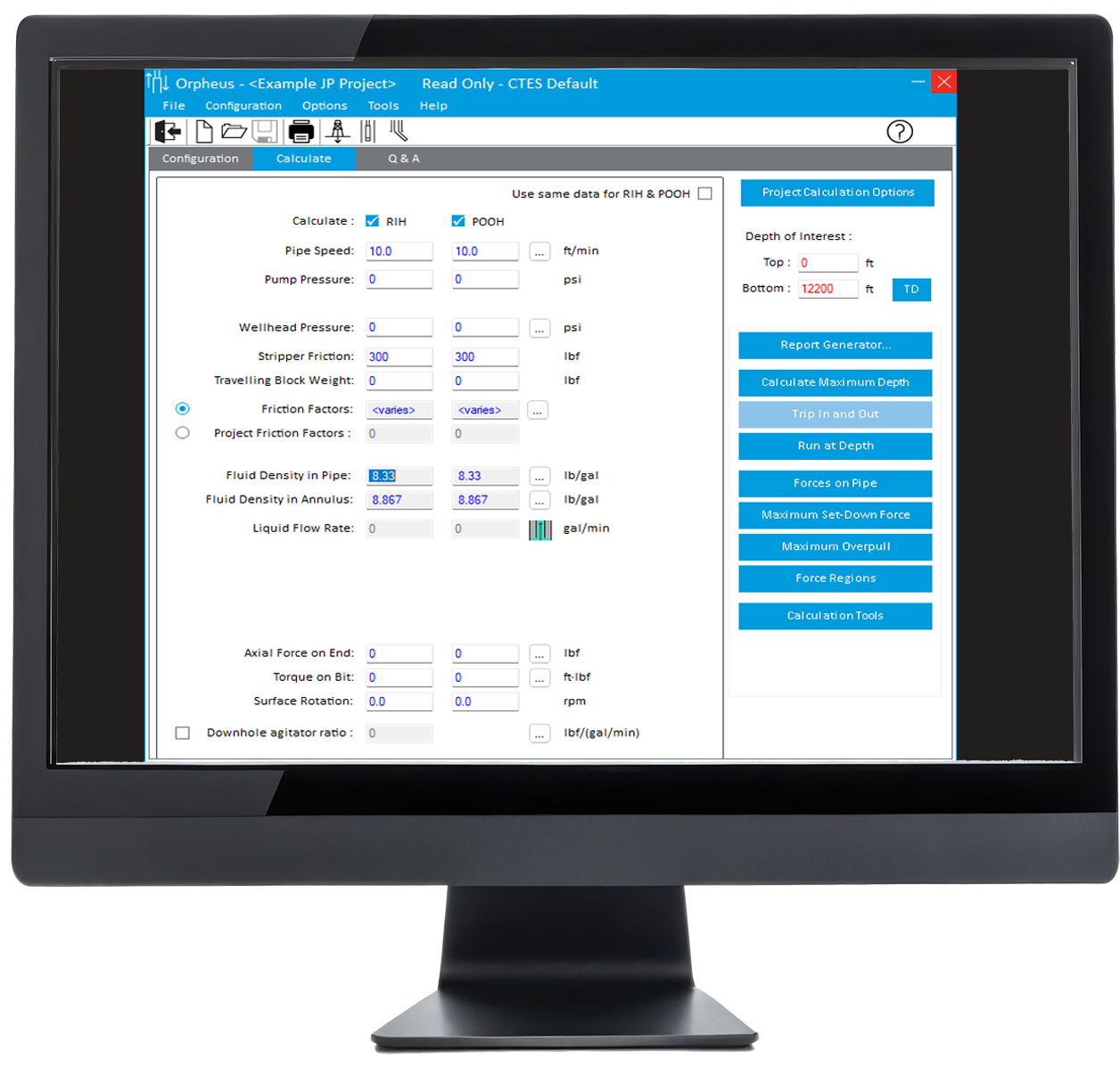
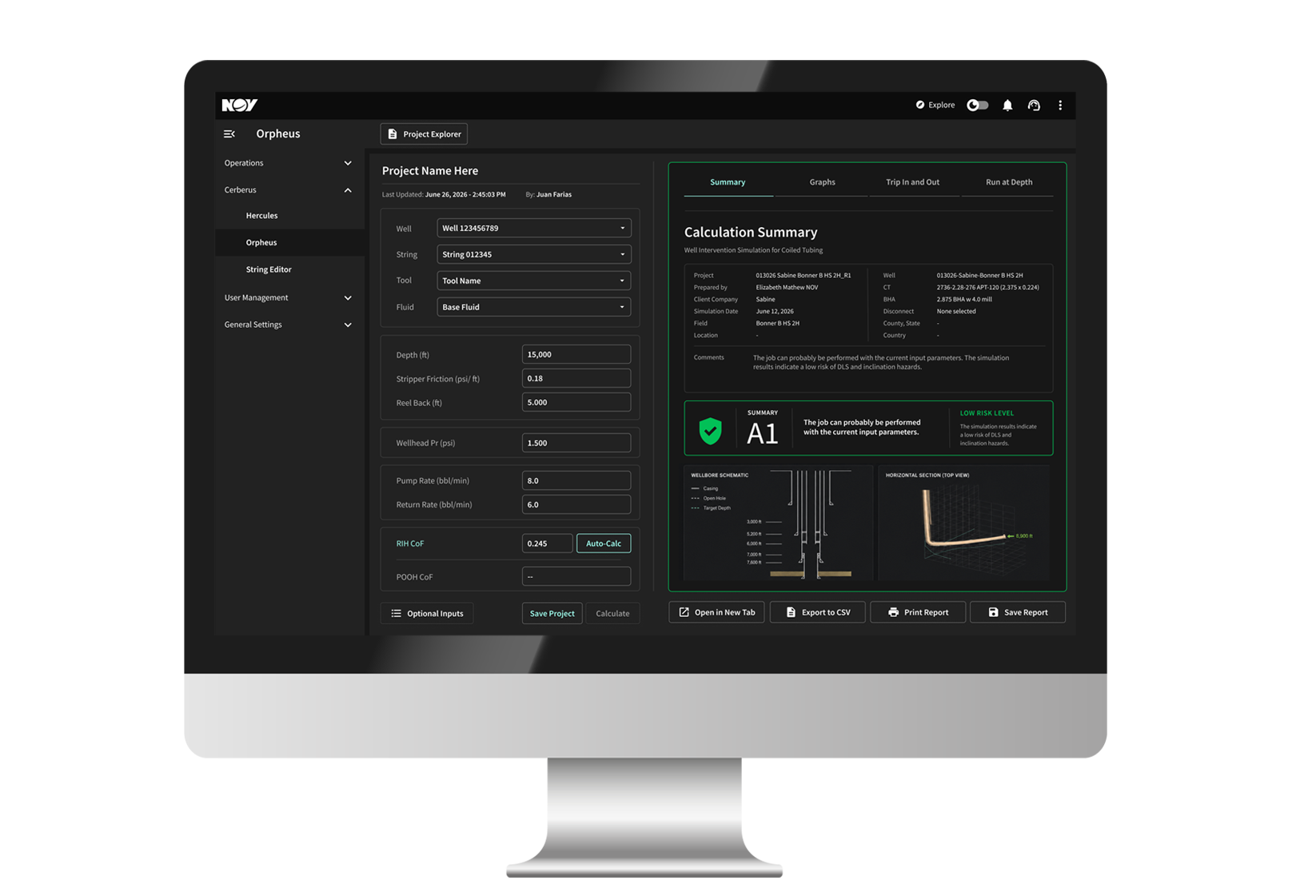

Legacy Cerberus
Cerberus on Max
Modernizing Without Starting Over
Simplifying the experience while preserving what already worked.
Cerberus supports specialized engineering workflows built around established calculations, terminology, and operating methods. Those fundamentals needed to remain familiar.
My focus was reducing the friction around them—simplifying layouts, consolidating related actions, and making supporting information easier to access without pulling users away from their primary task.
The goal was not to simplify the engineering. It was to simplify the experience around it.
-
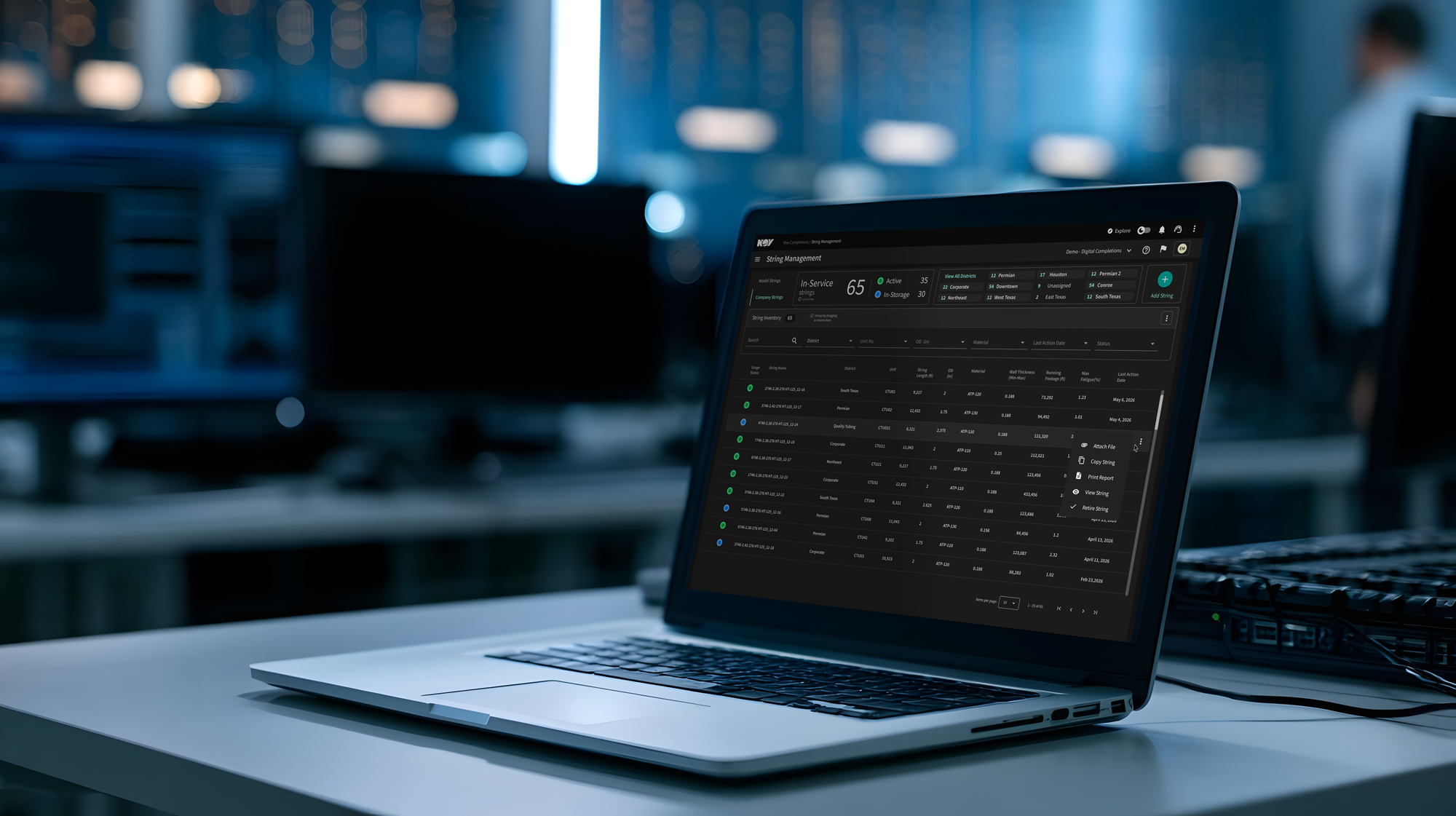
String, Reel, and Well Management now follow a consistent structure, helping users move between applications without relearning the interface.
-
Updated filtering and grouping patterns make it easier to work through larger sets of operational data and narrow the view to what matters.
-
Side panels provide summaries, quick details, and supporting information without forcing users away from the main workspace.
-
Common UI patterns create a more cohesive MAX experience, while each application retains the specialized functionality and terminology its workflow requires.
Click + to expandA Shared Experience Across Specialized tools
Legacy Cerberus
Cerberus on MAX
The modernization spans several connected Cerberus applications, including String, Reel, and Well management and editing, modeling workflows such as Orpheus, and new Projects and Workspaces experiences.
Each application supports a different technical task, so the goal was not to force every workflow into the same structure. Instead, I established a shared experience around them—consistent navigation, menus, filtering, grouping, page structure, summaries, and reusable interaction patterns.
I also introduced new components and patterns where the existing Max Completions application did not fully support the needs of these workflows. The result is a suite that feels cohesive across applications while preserving the specialized functionality, terminology, and engineering logic users already understand.
Users should be able to move between Cerberus tools without relearning the interface, while each application still supports the workflow it was built for.
Examples from String, Reel, and Well management workflows
Different workflows.
One cohesive product experience.
From Legacy Workflows to Max Completions
Reworking how users move through complex tasks
String Editor in Legacy Cerberus
String Editor in Cerberus on Max
A coiled-tubing string is the continuous length of steel tubing used to perform work inside a well. Engineers may need to cut it to remove damaged sections, adjust its length, or prepare it for continued use. In legacy Cerberus, that workflow was spread across seven separate tabs, forcing users to move between views without seeing the related information together.
In Max Completions, I consolidated the workflow so the key string data, service controls, and supporting context are available in one organized view. The service itself is more clearly guided, with the steps, choices, and resulting information presented in a way that is easier to follow while the user works.
The result is a workflow that preserves the same underlying functionality while reducing navigation, improving context, and making a complex operation feel more intuitive.
Extending Cerberus to Mobile
Bringing key workflows into the field.
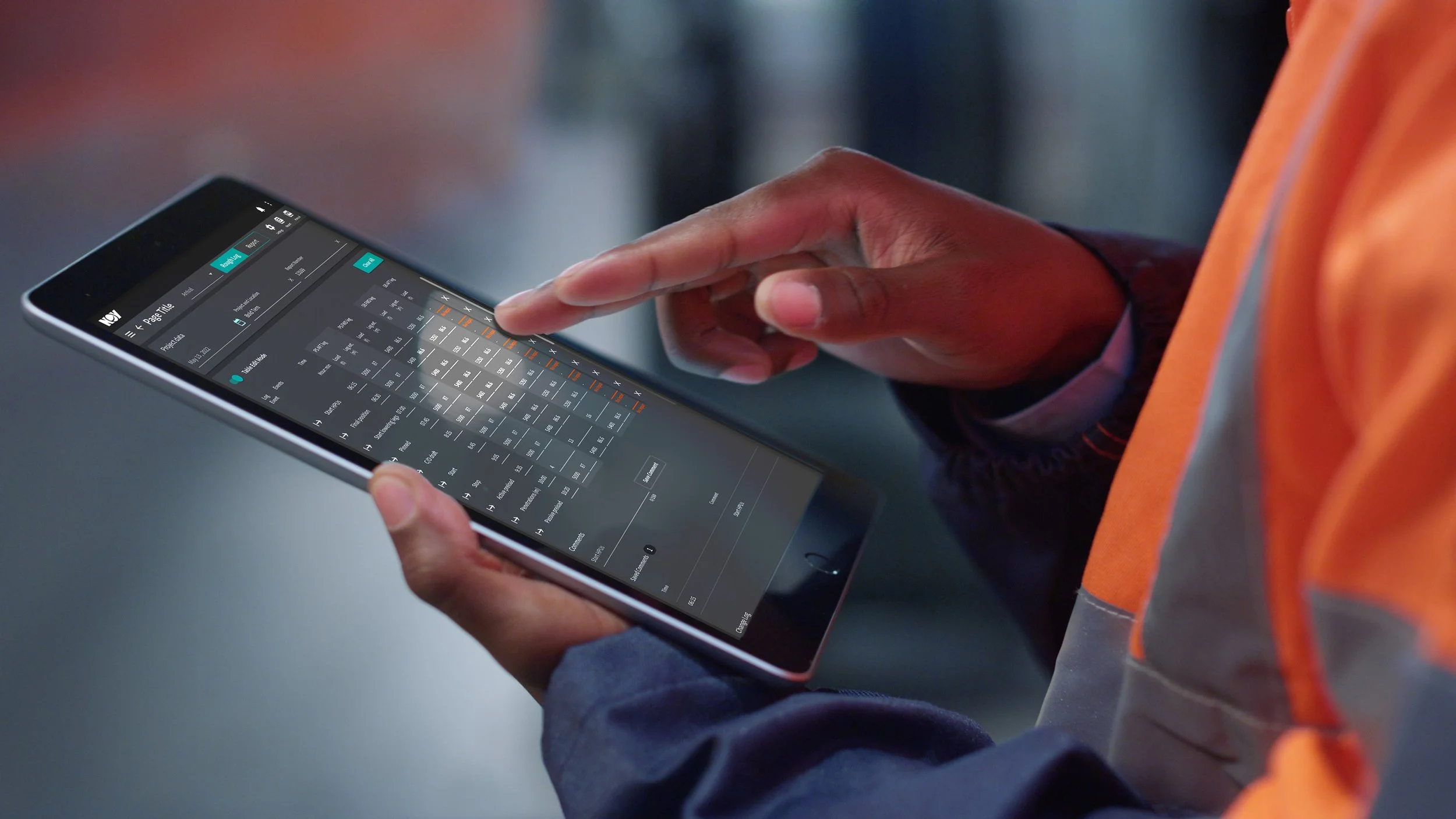
As part of the broader Cerberus modernization, I also extended selected String Management and Job Management capabilities into the Max Completions mobile experience.
These workflows had not previously been available in the mobile application. The initial goal was intentionally focused: give users read-only access to important operational information so they could quickly see where strings were located, which projects they were associated with, and the current context around that equipment without returning to the desktop experience.
I also explored concepts for updating additional areas of the mobile experience, helping create a more consistent direction across Max Completions on mobile.
Projects & Workspaces
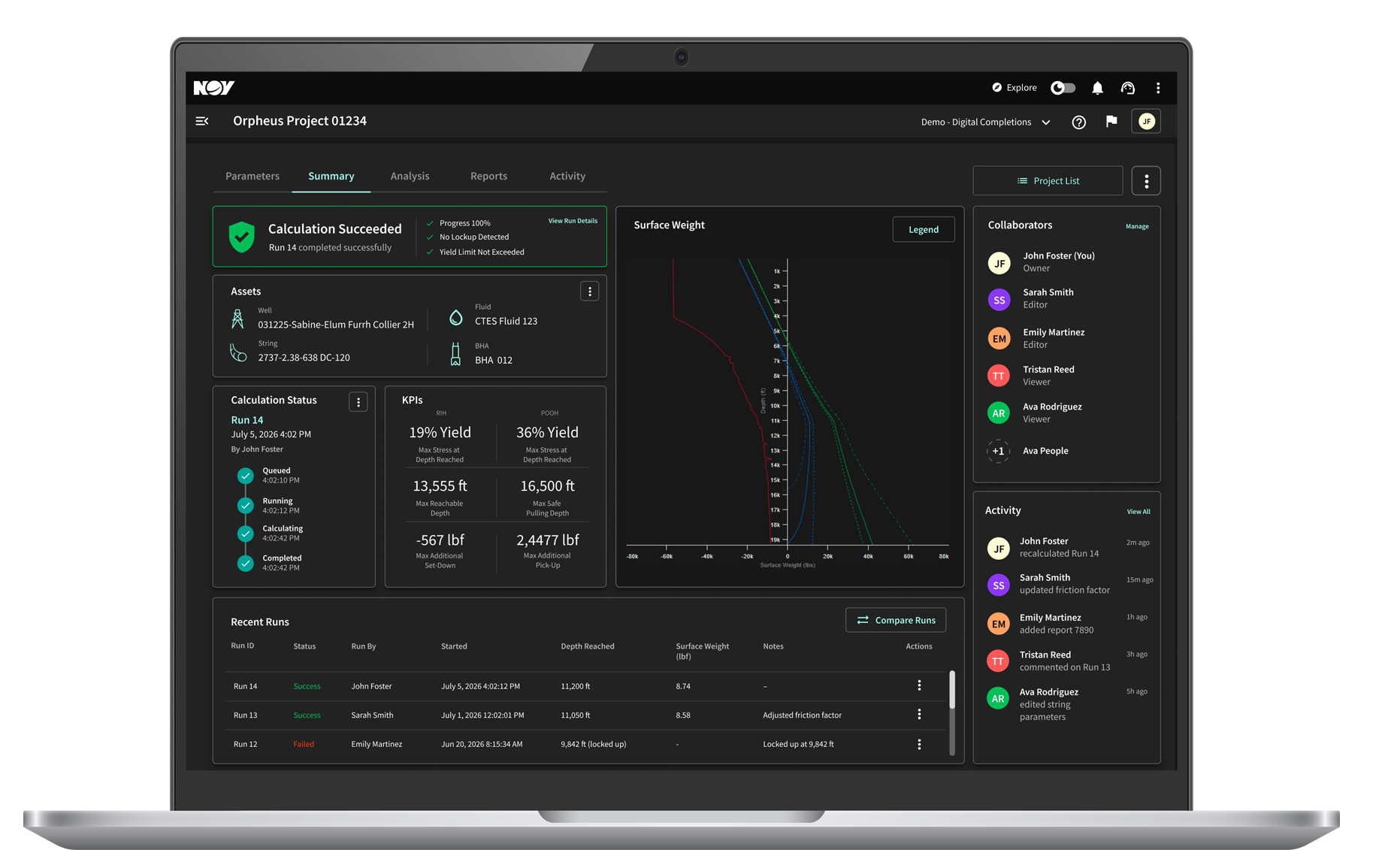
Creating a simpler way to organize work at scale.
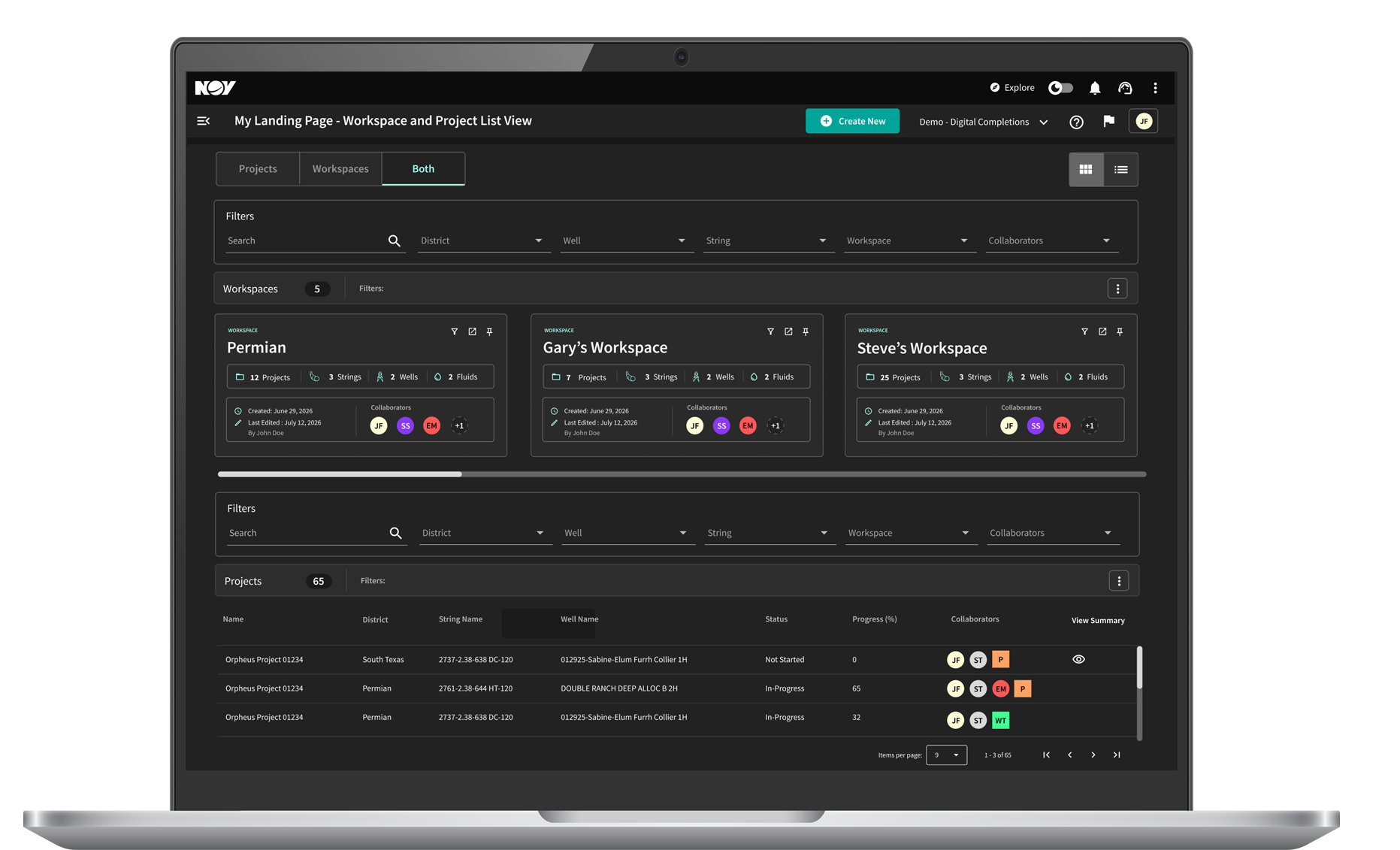
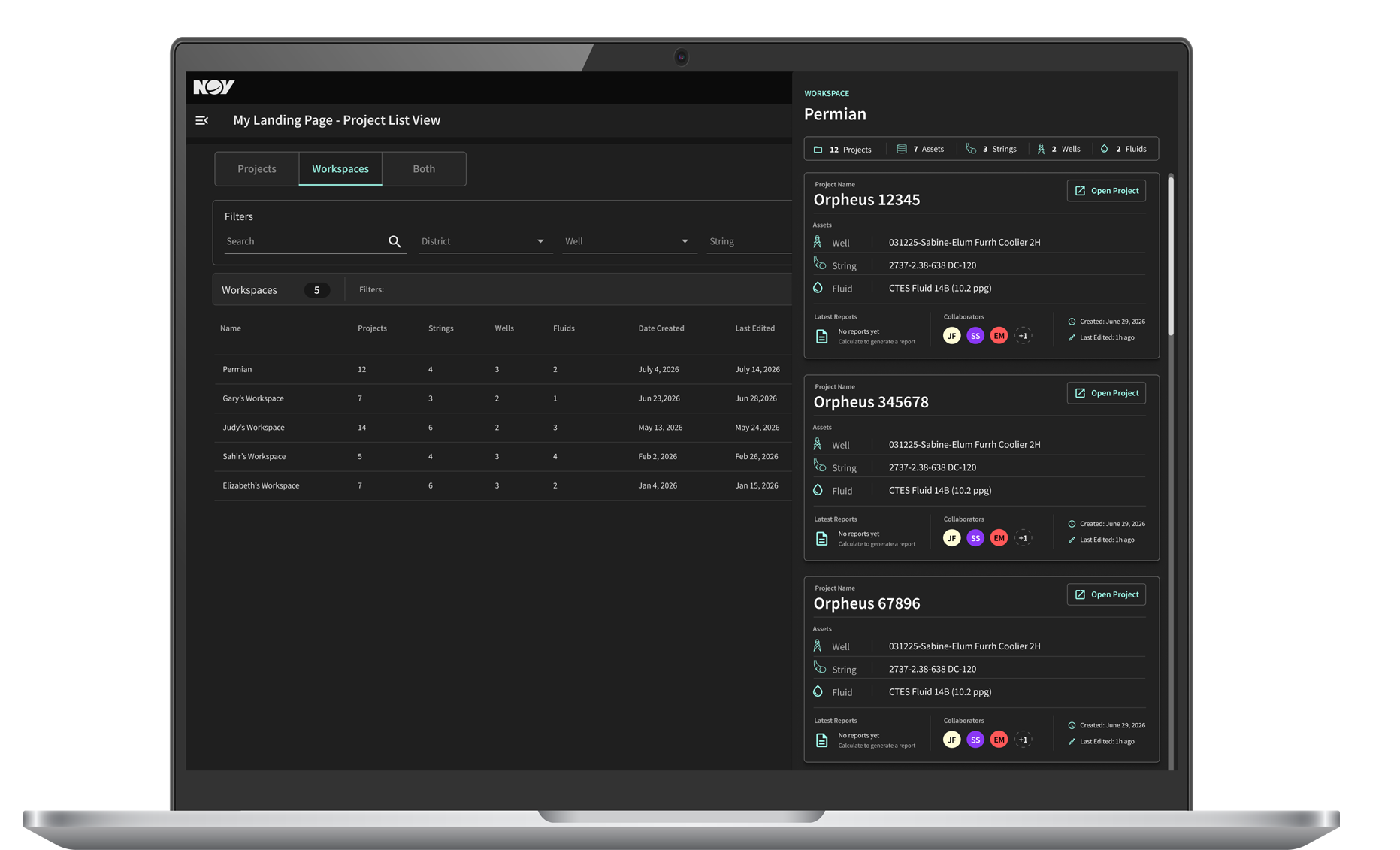
As part of the Cerberus modernization, I also designed a new Projects and Workspaces experience for organizing operational work inside Max Completions.
Projects give users a clearer way to view, track, and manage large numbers of individual operations, while Workspaces provide an additional layer for grouping related customer work, assets, and activity.
The goal was to make large volumes of work easier to navigate and organize without adding another layer of complexity—creating a more scalable structure for managing Cerberus activity across Max Completions.
Designing with Expert Users
Refining the experience with the people who know the workflows best.

Reviewed with power users
• Customer Advisory Board
• SMEs
• Engineering
The Cerberus redesign evolved through ongoing reviews with leadership, engineering, subject-matter experts, customer-facing teams, and experienced users.
A Customer Advisory Board made up of Cerberus and MAX power users reviewed the applications and walked through proposed workflows as the work progressed. Their feedback helped surface edge cases, validate familiar behaviors, and refine areas where the updated experience could be clearer or more intuitive.
That input was especially important because the goal was not to redesign these workflows in isolation. It was to modernize them while preserving the technical logic and expectations experienced users already relied on.
What I Took Away
Data becomes valuable when it helps people make better decisions.
This work changed how I approached product problems. I became more deliberate about starting with what users were actually doing, using AI to surface patterns worth investigating, and bringing those findings into conversations where product and business decisions were being made.
The broader lesson was that analytics are most useful when they create a shared understanding of what is happening, raise better questions, and help teams decide where to act next.
Good analytics work isn’t about producing
more dashboards.
It’s about turning evidence into better decisions.
Outcomes
Measuring behavior while keeping attribution honest.
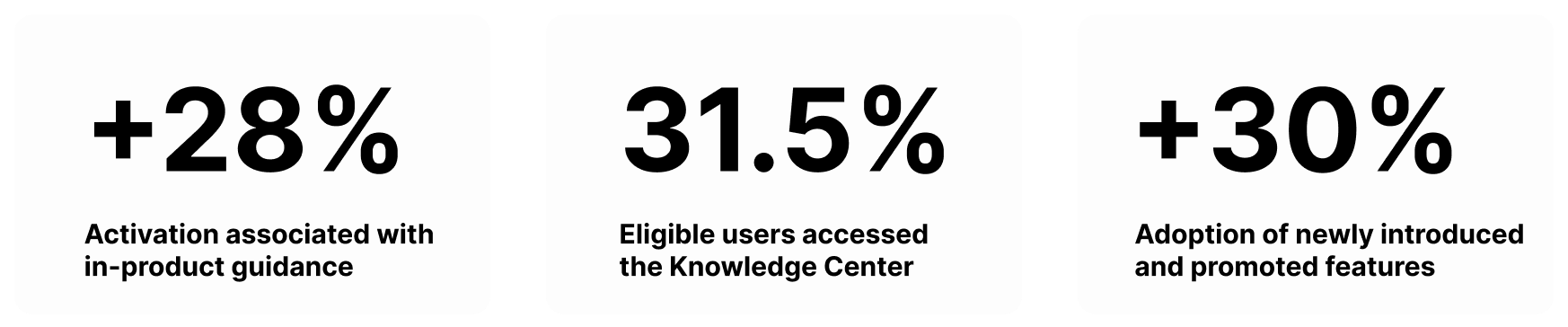
Across this work, internal reporting documented changes in activation, feature adoption, engagement, onboarding behavior, and product usage.
The broader impact extended beyond individual metrics. The analytics practice created a more consistent way to bring behavioral evidence into product and leadership discussions, helping teams identify opportunities that might otherwise have relied primarily on anecdotal feedback or assumptions.
I treated these metrics carefully. Changes in behavior showed that something moved, but did not automatically prove that a single design or guidance change caused it. Where multiple product or business changes occurred at the same time, I avoided making causal claims without supporting analysis.